Premium VPN Features, Built in Switzerland
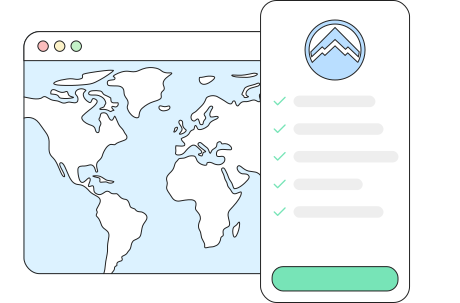
ApexGuard protects your browsing, IP address, DNS requests, devices, and public Wi-Fi connections with Swiss privacy safeguards, Double VPN by default, strict no-logs protection, RAM-only servers, ThreatShield, and unlimited-device coverage under one account.
- Swiss privacy standards
- Strict no-logs protection
- Double VPN by default
- RAM-only server architecture
- Unlimited devices under one account
VPN Features, Included from Day One
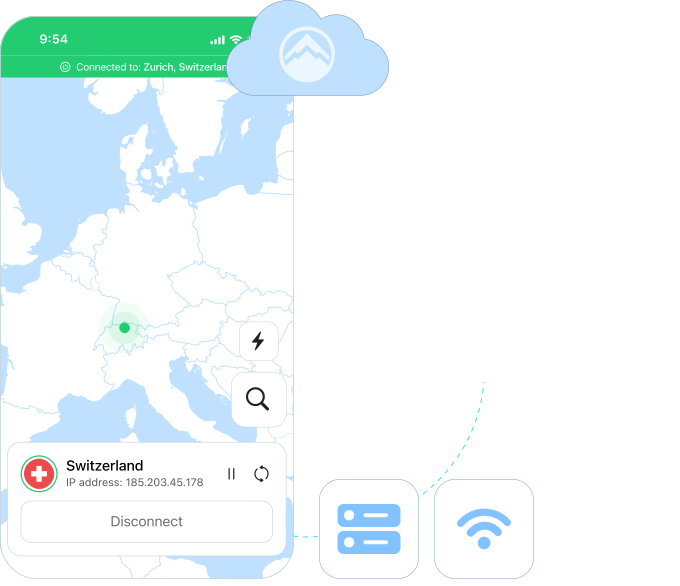
Every ApexGuard plan includes the same advanced VPN tools from day one, with no higher tier required to unlock stronger privacy, security, speed, or device protection.
Double VPN
ApexGuard applies Double VPN as part of the standard experience, adding an extra layer of separation between your device, the VPN network, and the websites you visit.
Unlimited Devices
Cover phones, laptops, tablets, browsers, and supported home devices under one account, with no device caps or per-device fees as your setup grows seamlessly.
Split Tunneling
Choose which apps and websites use the VPN and which connect directly, so sensitive activity stays protected while trusted local services keep working.
VPN Kill Switch
If the VPN connection drops, the kill switch automatically blocks unprotected traffic before your real IP address, DNS requests, or browsing activity get exposed.
Threat Protection
ThreatShield stops phishing pages, harmful domains, scam links, intrusive trackers, and risky website requests before they ever fully reach your browser.
Dark Web Monitor
When monitored account details appear in known leak sources, ApexGuard alerts you so you can update passwords and secure affected accounts faster.
Global Server Access
Connect through VPN locations across 125+ countries for faster nearby servers, regional flexibility while traveling, and location-aware access when needed.
Core Privacy Protections
ApexGuard limits what websites, apps, and shared networks can see. Your IP address, DNS requests, traffic, and public Wi-Fi activity stay protected inside the VPN tunnel from the moment you connect.

Hide My IP
A VPN server IP takes the place of your real address, so websites and apps see the VPN location instead of your home, office, or mobile network.

Private DNS
DNS requests are routed through private resolvers inside the VPN network, keeping website lookups away from ISPs, public Wi-Fi owners, and outside observers.


A Fast VPN for Streaming and Browsing
ApexGuard uses high-capacity infrastructure, smart routing, and fast server switching to keep VPN connections smooth across 4K streaming, gaming, video calls, account access, and high-bandwidth downloads.
ApexGuard uses high-capacity infrastructure, smart routing, and fast server switching to keep VPN connections smooth across 4K streaming, gaming, video calls, account access, and high-bandwidth downloads.
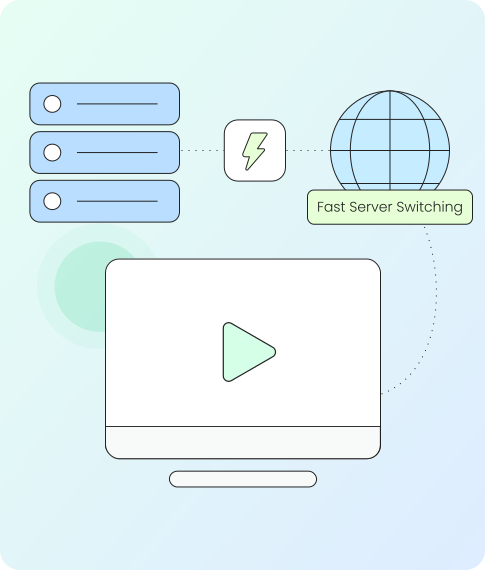
Watch with stable VPN performance across supported services and regions. Broad location access, smart routing, and high-capacity infrastructure support smoother viewing.
Watch with stable VPN performance across supported services and regions. Broad location access, smart routing, and high-capacity infrastructure support smoother viewing.
Fast Server Switching
Change VPN locations quickly for travel, browsing, streaming, account access, or a faster nearby connection without making setup complicated.
High-Capacity Global Network
With 3.2 Tbps of network capacity and smart routing behind every connection, browsing, streaming, downloads, and video calls stay smoother during busy periods.
Protection for All Your Devices
Desktop, mobile, browser, and supported home environments all run under one account. Install what you use, sign in once, and let ApexGuard follow you across every screen.
-
Desktop Apps

Secure Windows, macOS, and desktop browsing with full-device VPN coverage for work tools, downloads, calls, account access, and everyday activity.
-
Mobile Devices

Protect iPhone, iPad, and Android activity with encrypted VPN access, IP masking, public Wi-Fi safeguards, kill switch controls, and fast location switching.
-
Browser Extensions

Add a lightweight VPN to Chrome, Firefox, and Edge. Browser extensions protect supported activity, block WebRTC leaks, and put location control inside the browser.
-
Connected Home Devices

Extend ApexGuard to supported home setups, shared screens, streaming devices, and router-connected environments where broader household coverage matters.
Simple Setup and Daily Usability
The apps install in minutes, and connection, server switching, and core settings sit on the main screen where they are easy to reach during everyday use. This makes the experience intuitive and consistent across all core VPN functions.

Easy to Use VPN
Install the app, sign in, choose a location, and connect. Clear controls, fast server switching, auto-connect options, and simple settings keep privacy easy to use every day
-
Quick Connect
The optimal VPN location is chosen for you automatically when you tap connect, so a single press is enough to start protected browsing in seconds.
-
Auto-Connect on Unsafe Wi-Fi
Secure your connection automatically on public or unfamiliar networks. Auto-connect keeps safeguards ready before exposed networks become a risk.
-
Simple App Settings
Manage core VPN controls without digging through complex menus. Everyday settings stay clear, accessible, and easy to adjust.
Our Network and Security Standards
ApexGuard supports every session with privacy-focused infrastructure and recognized security practices. RAM-only servers, Swiss legal safeguards, PCI-audited data handling, and ISO 27001 controls reinforce the service from signup to every connection.

Swiss FADP and GDPR-Aligned Privacy
ApexGuard follows responsible data handling principles, including minimization, purpose limitation, and careful handling of personal data.

PCI-Audited Sensitive-Data Handling
Payment and account-related workflows are handled through stronger controls for sensitive data.

ISO 27001 Security Controls
Structured safeguards support secure access, risk management, monitoring, change control, and operational discipline.

RAM-Only Server Architecture
Every server in the network runs entirely in volatile memory, so session data clears with every restart and no records can remain.
Set Up ApexGuard in Three Steps
Start browsing with stronger safeguards in a few simple steps. ApexGuard keeps setup simple across desktop, mobile, and browser platforms. The experience is designed to be fast, consistent, and effortless from the very first connection.
Choose Your ApexGuard Plan
Pick a plan that fits your needs. Each one comes with unlimited devices
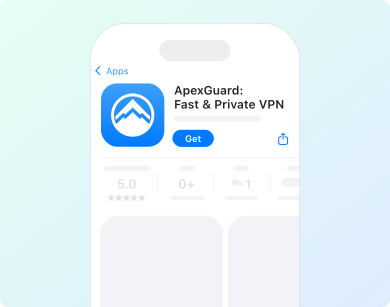
Download ApexGuard
Install the official app or extension for your desktop, mobile, or browser environment.
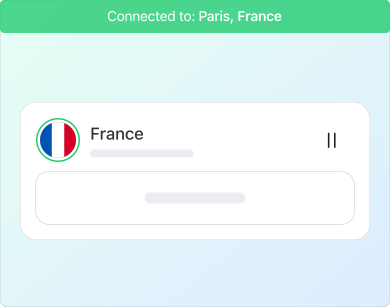
Sign In and Connect
Choose a server location and connect to browse with encrypted traffic and a hidden IP.
Get ApexGuard Today
Start browsing with the complete ApexGuard experience from your first connection. Every plan includes advanced VPN tools, full device coverage, and a 30-day money-back guarantee.
Get ApexGuardYou May Still Be Wondering
Frequently Asked Questions
Does ApexGuard keep logs of my browsing activity?
No. ApexGuard does not store your browsing history, visited websites, DNS activity, traffic content, or VPN activity profiles. This means ApexGuard does not keep an internal record of what you do while connected.
Why does Swiss privacy matter for a VPN?
Switzerland has strong privacy rules for personal data handling. ApexGuard is built around Swiss privacy principles, including data minimisation, clear purpose of processing, and careful handling of account-related information.
What is the difference between VPN encryption and VPN security?
VPN encryption protects the connection between your device and the VPN network. VPN security is broader. It includes no-logs protection, IP and DNS leak prevention, kill switch safeguards, ThreatShield, RAM-only servers, and operational controls behind the service.
What is double VPN?
Double VPN routes your traffic through two VPN servers before it reaches the internet. ApexGuard applies Double VPN by default, so this extra layer is part of the standard connection experience.
How does ThreatShield protect me?
ThreatShield helps block harmful websites, phishing pages, suspicious domains, and intrusive trackers before they load. It works alongside the VPN to make everyday browsing safer without extra setup.
How does the kill switch protect my data?
If the VPN connection drops, the kill switch blocks unprotected traffic until the secure connection is restored. This helps prevent your real IP address, DNS requests, or active sessions from continuing over an exposed network.
Can I use ApexGuard on mobile devices and browsers?
Yes. ApexGuard supports iOS, Android, Windows, macOS, and browser extensions for Chrome, Firefox, and Edge. One account protects your everyday devices under the same subscription.
Is ApexGuard good for streaming?
Yes. ApexGuard is built for stable streaming, browsing, video calls, and downloads, with broad location access, high-capacity infrastructure, and smart routing for smoother everyday performance.
Do all ApexGuard plans include the same features?
Yes. Every ApexGuard plan includes the full feature set, including Double VPN, ThreatShield, kill switch, split tunneling, RAM-only servers, strict no-logs protection, global server access, and unlimited devices.
Can I test ApexGuard before committing?
Yes. ApexGuard includes a 30-day money-back guarantee, so you can test the full VPN experience across privacy, speed, apps, streaming, and everyday protection before deciding if it is right for you.
Download Apex VPN
Get Apex for Windows, macOS, Linux, or get it from App Store or Google Play.
Install the App
Launch the installer file and follow the on-screen setup instructions.
Enjoy Your Online Privacy
Open Apex VPN, log in or sign up, and connect to your desired server.
Apexguard System Requirements by Platform
ApexGuard delivers refined privacy across modern devices without demanding high-end hardware, keeping protection accessible, seamless, and consistent every day.
Desktop devices:
OS Version:
macOS 13.5 Ventura or newer
Device:
Mac Mini, Mac Studio, Mac Pro, iMac, MacBook Air, and MacBook Pro
Disk Space:
~40 MB
Architecture:
Intel x86_64 or Apple Silicon (universal)
OS Version:
Windows 10 (64-bit, version 1607 and later) and Windows 11
RAM:
At least 1 GB
Disk Space:
~60 MB
Architecture:
64-bit
Supported Distros:
Debian, Ubuntu, and Fedora
RAM:
At least 1 GB
Disk Space:
~40 MB
Architecture:
64-bit
Additional:
libglib2.0, libgtk-3, and curl installed
Mobile devices:
OS Version:
iOS 15.6 or newer
Device:
iPhone, iPad, or iPod Touch 7th gen
Disk Space:
~50 MB
Other:
Internet connection required for full functionality
OS Version:
Android 9.0 or newer
Device:
Smartphone or tablet
Disk Space:
~50 MB
Other:
Network access, storage (for config/cache)
Not Sure About the Purchase?
Try ApexGuard Risk-Free
Start with the full ApexGuard experience from day one. Every plan includes advanced VPN protection, unlimited-device coverage, Double VPN by default, ThreatShield, and a 30-day money-back guarantee.
Get ApexGuard