A Private IP Address Reserved for You
Get a private Dedicated IP reserved exclusively for your ApexGuard account. Reduce CAPTCHAs, avoid repeated access checks, and use sensitive services with greater confidence, supported by Swiss privacy standards and strict no-logs protection.
- One fixed IP reserved for your account
- Fewer anti-bot checks and login interruptions
- Only VPN with ISO 27001 & PCI audit
From 185.76 EUR
2.58 EUR mo. + 3 Months Free
devices 1 Account
30-Day Money-Back Guarantee
Receive a full refund if ApexGuard doesn’t meet your expectations.



What a Dedicated IP Gives You
A Dedicated IP gives you one fixed VPN address reserved for your account. Instead of sharing an IP with many other users, you connect through the same consistent address each time, helping services recognize your connection more reliably and reducing unnecessary access friction.
Security
Access banking, admin tools, and account-sensitive platforms with a more consistent, reliable, and trusted login identity.

Stability
Reduce disruptive checks, minimize CAPTCHAs, and avoid repeated verification caused by changing shared IPs.
Accessibility
Stay connected to the services you rely on with a more predictable connection experience wherever you are.
How to Get a Dedicated IP?
Get a stable private IP reserved for you with simple setup and full control across your devices. Dedicated IP is assigned exclusively to your account and stays consistent across connections, reducing shared-IP issues and interruptions.
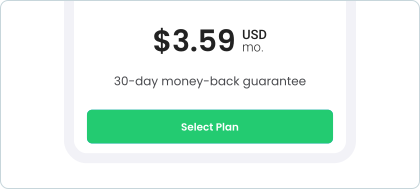
1. Choose Your ApexGuard Plan
Start with an ApexGuard subscription to enable access to Dedicated IP options.
2. Activate Dedicated IP in Your Account
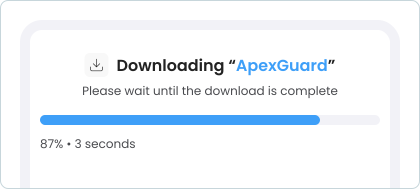
Log in to your ApexGuard dashboard, navigate to VPN settings, and select Dedicated IP
3. Select Your Preferred Location
Choose the region that best fits your needs and assign your dedicated IP address.
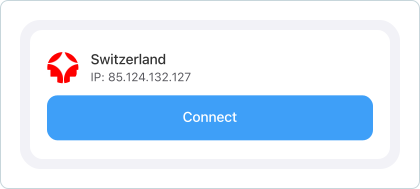
Why Users Choose a Dedicated IP
Unlike a shared VPN IP, your Dedicated IP is reserved for your account only. That means you are not affected by the browsing behavior of other users on the same exit address, which can reduce the risk of IP reputation issues and make your connection feel more consistent over time.

Skip the Shared IP Problems
ApexGuard turns a fixed IP into a more reliable way to access the services that matter. You get smoother logins, fewer interruptions, and stronger privacy safeguards from a VPN built around Swiss legal protection and verified security practices.
-
Isolated IP Reputation
Your Dedicated IP is reserved exclusively for your account, protecting its reputation from other users’ activity and reducing blocks, flags, and unreliable access.
-
Reduced Verification Friction
A stable IP can help reduce repeated login checks, CAPTCHAs, and access reviews from services that react to constantly changing VPN addresses.
-
Privacy-Led Infrastructure
Your connection is supported by zero-activity-log architecture, active security controls, and ApexGuard’s verified trust positioning as the only VPN with ISO 27001 & PCI audit.
-
Built for Sensitive Services
Designed for banking, work tools, admin panels, and account-sensitive platforms where a stable and trusted connection consistently matters.
Where a Dedicated IP Delivers the Most
A Dedicated IP is especially useful for users who need their online identity to stay more consistent. It helps maintain the same IP address across connections, reducing disruptions caused by shared IP environments and improving stability for services that rely on consistent access patterns.

Remote Work and Whitelisting
If your workplace, admin panel, or private tool uses IP allowlisting, a Dedicated IP gives a predictable address that’s easier to recognize.
Online Banking and Finance
A changing login location can trigger extra scrutiny. A fixed IP can help make access feel more familiar and consistent.

Travel and Shared Networks
When you travel or use public Wi-Fi, a Dedicated IP can help reduce the friction caused by unknown or changing locations.

Streaming and Accounts
A cleaner, fixed IP can improve day-to-day access reliability for the apps and online services you use most often.

Why VPN Jurisdiction Matters
Your VPN provider’s location shapes how your data is protected, what legal safeguards apply, and how privacy promises are handled. With ApexGuard, your Dedicated IP is supported by Switzerland’s privacy-focused legal environment, giving you stronger confidence when using sensitive services online.

No Mandatory Logging
ApexGuard is designed without VPN activity retention, keeping browsing history, visited sites, and online activity out of routine storage.

Stronger Legal Protection
A privacy-focused legal framework safeguards personal data, reduces exposure, and supports a more trusted VPN experience.

Independent Jurisdiction
Switzerland sits outside intelligence-sharing alliances, creating an independent legal environment for privacy-focused VPN services.

Trust-Led Data Handling
ApexGuard pairs clear data handling with a strict no-logs model, helping users see how privacy is protected while using Dedicated IP.
Dedicated IP vs. Shared IP
Real-World Differences
An IP address is your internet-facing identity while connected. The biggest difference between a Dedicated IP and a shared IP is whether that address is reserved for you alone or used by many users at the same time.
An IP address is your internet-facing identity while connected. The biggest difference between a Dedicated IP and a shared IP is whether that address is reserved for you alone or used by many users at the same time.
Download ApexDedicated IP
-
Exclusive IP reserved for your account
You connect through the same private VPN IP each time.
-
More consistent identity
Services are more likely to recognize your access pattern.
-
Fewer CAPTCHAs
A cleaner IP can reduce anti-bot challenges and repeated checks.
-
Smoother access to sensitive services
Useful for banking, work platforms, and IP-sensitive tools.
-
Better for whitelisting
A fixed IP is easier to use with allowlists and access controls.
Shared IP
-
Used by many VPN users
Your exit IP is shared with others on the same server.
-
Random assignment
The address may change between sessions automatically.
-
More verification checks
Heavily used shared IPs can trigger more CAPTCHAs or login friction.
-
Less predictable access
Some services may react more aggressively to changing locations.
-
Harder to whitelist
A changing or shared address is less convenient for access control setups.
Audited Security Practices
ApexGuard Dedicated IP gives you smoother access with the confidence of a security-led VPN platform behind it. It combines a private fixed IP with no-logs architecture, active security controls, and a PCI-audited environment for sensitive data.
Swiss Privacy Standards
Dedicated IP operates within ApexGuard’s wider privacy model, where Swiss privacy laws and no-logs architecture support a clearer framework for how the service handles user data and account activity.

Backed by Verified Standards
Active ISO 27001 security controls and a PCI-audited environment add verified operational standards behind the service. This gives Dedicated IP stronger credibility in security, oversight, and sensitive data handling.

A More Trusted Experience
Dedicated IP sits inside the broader ApexGuard platform, giving users more than access consistency. The feature is part of a service built around accountability, trust, and dependable everyday protection.
Not Sure Yet?
Try ApexGuard Risk-Free
A Dedicated IP is best experienced in everyday use. Download ApexGuard, test it, compare it with a shared IP, and decide with confidence. Connect securely across 125+ countries.

You May Still Be Wondering
Frequently Asked Questions
What is a dedicated IP and how is it different from a shared IP?
Dedicated IP is a fixed VPN address only your account uses. A shared IP is used by potentially hundreds of users at once, which can damage its reputation over time and cause CAPTCHAs, repeated verification checks, and blocked or inconsistent access on sensitive services.
Why should I use a dedicated IP?
A Dedicated IP makes the most sense when you need your connection recognized consistently. If you regularly access banking platforms, remote work tools, or whitelisted systems, a fixed address reduces friction and eliminates inherited IP reputation issues.
Can I use my dedicated IP on multiple devices?
Your Dedicated IP is linked to your ApexGuard account, so you can use it across the devices supported under your subscription. This means you can move between your laptop, phone, tablet, and browser without losing the consistency of your fixed IP address.
Does a dedicated IP improve privacy?
A Dedicated IP is mainly about consistency and access reliability. ApexGuard supports it with no traffic logging protection and Swiss privacy jurisdiction to help preserve a privacy-first experience.
Can I choose the location of my dedicated IP?
Yes. ApexGuard allows you to choose from available locations when setting up your Dedicated IP. The right location depends on where the services you need to access are based. Banking platforms, remote work tools, and whitelisted systems all work best when your IP is in the expected region.
How do I get started?
Once your ApexGuard subscription and Dedicated IP option are active, you can follow the in-app setup flow to activate your reserved IP and begin using it. If you need help at any point, the ApexGuard support team is available to guide you through setup.
Download Apex VPN
Get Apex for Windows, macOS, Linux, or get it from App Store or Google Play.
Install the App
Launch the installer file and follow the on-screen setup instructions.
Enjoy Your Online Privacy
Open Apex VPN, log in or sign up, and connect to your desired server.
Apexguard System Requirements by Platform
ApexGuard delivers refined privacy across modern devices without demanding high-end hardware, keeping protection accessible, seamless, and consistent every day.
Desktop devices:
OS Version:
macOS 13.5 Ventura or newer
Device:
Mac Mini, Mac Studio, Mac Pro, iMac, MacBook Air, and MacBook Pro
Disk Space:
~40 MB
Architecture:
Intel x86_64 or Apple Silicon (universal)
OS Version:
Windows 10 (64-bit, version 1607 and later) and Windows 11
RAM:
At least 1 GB
Disk Space:
~60 MB
Architecture:
64-bit
Supported Distros:
Debian, Ubuntu, and Fedora
RAM:
At least 1 GB
Disk Space:
~40 MB
Architecture:
64-bit
Additional:
libglib2.0, libgtk-3, and curl installed
Mobile devices:
OS Version:
iOS 15.6 or newer
Device:
iPhone, iPad, or iPod Touch 7th gen
Disk Space:
~50 MB
Other:
Internet connection required for full functionality
OS Version:
Android 9.0 or newer
Device:
Smartphone or tablet
Disk Space:
~50 MB
Other:
Network access, storage (for config/cache)
Get Your Dedicated IP
Fixed IP. Fewer interruptions. More reliable access.
ApexGuard Dedicated IP combines reserved IP access with controlled infrastructure, verified security practices, and a 30-day money-back guarantee, enabling dependable access to sensitive accounts, work tools, and trusted platforms.
Get ApexGuard