How Can We Help You?
Find answers instantly

Browse by Topic


You May Still Be Wondering
Frequently Asked Questions
How do I get started with ApexGuard?
To get started with ApexGuard, simply select your preferred device, visit our downloads page, and install the application or extension that suits your needs. Follow the setup instructions to secure your connection in just a few steps.
Does Apex VPN offer a free trial?
No, Apex VPN does not offer a free trial. However, we provide a 30-day money-back guarantee for first-time users to experience the full range of features and benefits risk-free.
Which devices does Apex VPN support?
Apex VPN is compatible with a wide range of devices and platforms, including Windows, macOS, Linux, Android, iOS, as well as popular browsers like Chrome, Firefox, Edge, and Safari.
Should I use the Apex VPN app or the Apex VPN browser extension?
The browser extension is lightweight and secures browser traffic, while the app provides device-wide protection with advanced features like a Kill Switch, Dark Web Monitor, and specialized servers.
How can I verify if Apex VPN is connected properly?
To ensure Apex VPN is connected properly, check for the active connection status in the app or browser extension. You can also verify by visiting a website that shows your IP address to confirm it matches the server location you selected.
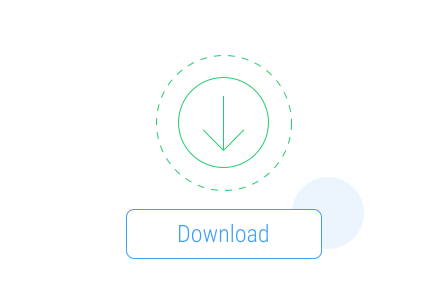
Download Apex VPN
Get Apex for Windows, macOS, Linux, or get it from App Store or Google Play.
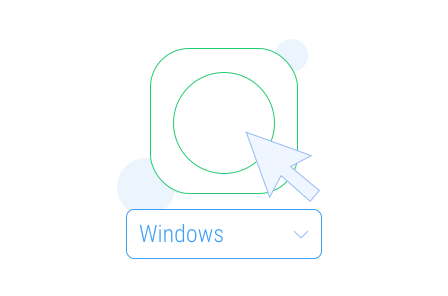
Install the App
Launch the installer file and follow the on-screen setup instructions.
Enjoy Your Online Privacy
Open Apex VPN, log in or sign up, and connect to your desired server.
Apexguard System Requirements by Platform
ApexGuard delivers refined privacy across modern devices without demanding high-end hardware, keeping protection accessible, seamless, and consistent every day.
Desktop devices:
OS Version:
macOS 13.5 Ventura or newer
Device:
Mac Mini, Mac Studio, Mac Pro, iMac, MacBook Air, and MacBook Pro
Disk Space:
~40 MB
Architecture:
Intel x86_64 or Apple Silicon (universal)
OS Version:
Windows 10 (64-bit, version 1607 and later) and Windows 11
RAM:
At least 1 GB
Disk Space:
~60 MB
Architecture:
64-bit
Supported Distros:
Debian, Ubuntu, and Fedora
RAM:
At least 1 GB
Disk Space:
~40 MB
Architecture:
64-bit
Additional:
libglib2.0, libgtk-3, and curl installed
Mobile devices:
OS Version:
iOS 15.6 or newer
Device:
iPhone, iPad, or iPod Touch 7th gen
Disk Space:
~50 MB
Other:
Internet connection required for full functionality
OS Version:
Android 9.0 or newer
Device:
Smartphone or tablet
Disk Space:
~50 MB
Other:
Network access, storage (for config/cache)