
From 10.52 USD

3.27 USD mo.  + 3  Months Extra

10 devices 1 User

See All Plans

30-Day Money-Back Guarantee

Receive a full refund if ApexGuard doesn’t meet your expectations.

Special Offer | Save 60%
GET APEX

Private DNS with Swiss Security Standards

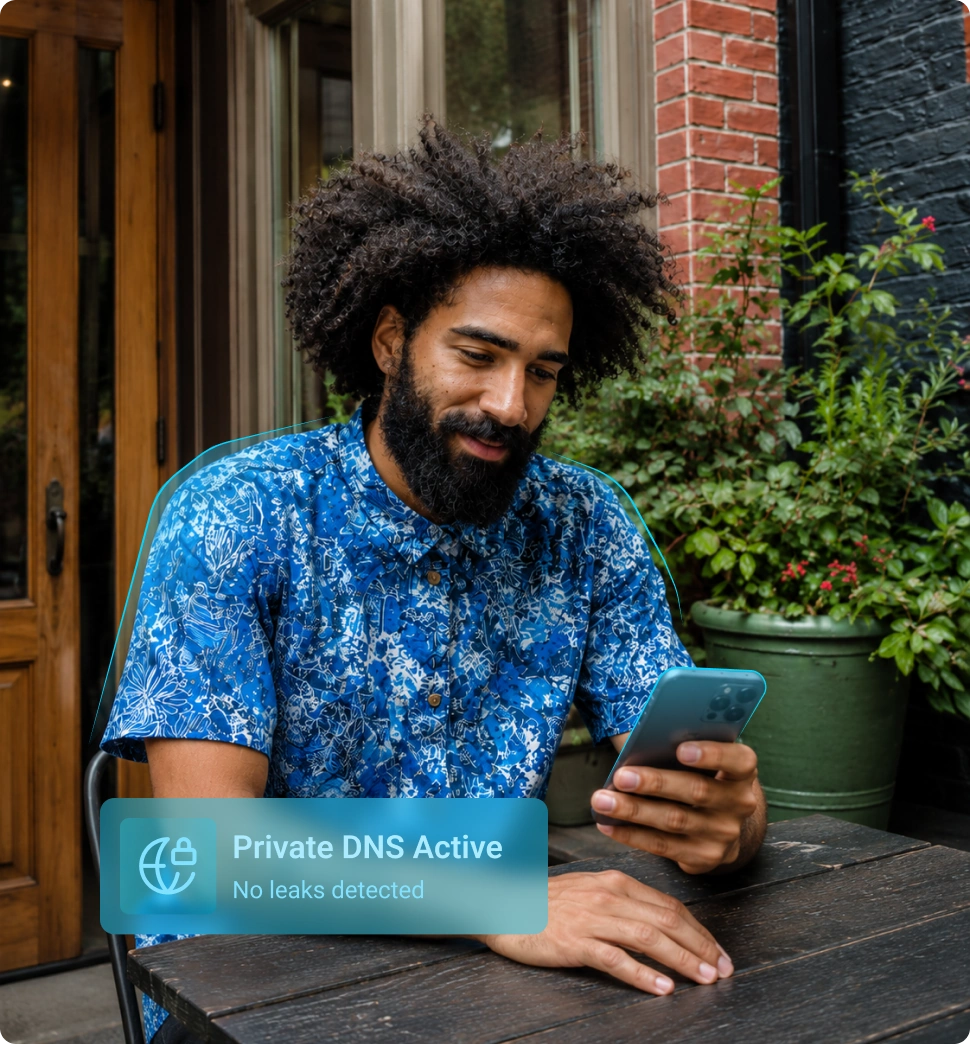
ApexGuard protects the website lookups behind every browsing session. Your DNS requests are protected inside the encrypted VPN connection and resolved through Apex-owned infrastructure instead of your internet provider’s default DNS.

  • Swiss-built privacy
  • DNS leak protection
  • No browsing history logs
  • Privately owned infrastructure

From 10.52 USD

3.27 USD mo.  + 3  Months Extra

10 devices 1 User

Get Apex

30-Day Money-Back Guarantee

Receive a full refund if ApexGuard doesn’t meet your expectations.

What Private DNS Does

Before a website opens, your device needs to find where that website is located online. This process is called DNS resolution. With default DNS, those requests are often handled by your internet service provider or another third-party resolver. ApexGuard’s Private DNS replaces that default path with protected DNS handling within the VPN tunnel. Your DNS requests are encrypted and resolved through ApexGuard’s DNS resolvers, helping keep website lookups away from unnecessary visibility.

Reduce DNS Exposure

DNS requests can reveal which websites your device is trying to reach. Private DNS helps protect those lookups so your browsing habits are not easily visible to your ISP, public Wi-Fi provider, or local network observers.

Help Prevent DNS Leaks

A DNS leak can happen when your website requests bypass the VPN and go through your normal internet provider instead. ApexGuard Private DNS helps keep DNS requests inside the protected connection, reducing the chance of accidental exposure.

Keep Browsing Smooth and Reliable

ApexGuard Private DNS supports fast, reliable website resolution across everyday browsing, streaming, online transactions, work, and travel, while routing DNS requests through the encrypted VPN tunnel for stronger privacy.

Why DNS Leaks Can Happen

DNS leaks usually happen when website lookups leave the protected VPN path and are sent through the wrong resolver, such as your internet provider, a local network, or another third-party DNS service. ApexGuard Private DNS is designed to keep those requests inside the protected VPN connection and resolve them through ApexGuard infrastructure.

Network Setting Changes

Manual configuration, operating system updates, or network changes can cause a device to use DNS servers outside the protected VPN connection

Incorrect VPN Routing

Some VPN setups may allow DNS requests to travel outside the encrypted tunnel, exposing website lookups through the user’s normal internet provider

Third-Party Apps

Certain apps, browser extensions, security tools, or network utilities may alter DNS behavior or send requests outside the intended path

Malicious DNS Changes

Malware or unauthorized software can change DNS settings and redirect website lookups through unsafe or untrusted resolvers

ISP DNS Redirection

Some internet providers may redirect DNS requests through their own systems, which can expose browsing patterns or override the user’s preferred DNS settings

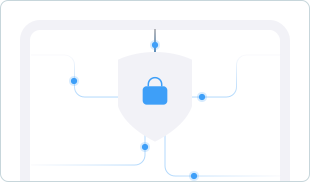
How Private DNS Protects You Online

Every browsing session starts with a DNS request that identifies the website your device wants to reach. Instead of letting those requests travel through default provider channels, ApexGuard handles them through a protected path designed for safer everyday use.

1. Your device

You connect to ApexGuard

2. ApexGuard VPN connection

Your DNS request stays protected.

3. Private DNS resolvers

Routed through ApexGuard servers.

4. Websites or apps

Your browsing continues privately.

The Risks of a DNS Leak

A DNS leak can expose the website lookups behind your browsing, even when you expect your VPN connection to protect them. If DNS requests leave the encrypted VPN tunnel, parts of your online activity may become visible to your ISP, local network, public Wi-Fi provider, or another third-party resolver.

Network Visibility

In monitored or restrictive network environments, exposed DNS requests may reveal which websites or online services a user tries to access.

Phishing Attacks

Manipulated DNS requests can increase the risk of fake websites, phishing pages, harmful redirects, or targeted attacks based on the services a user visits.

Browsing Privacy Loss

A DNS leak can reveal parts of your browsing activity, network details, and approximate location, weakening the privacy layer a VPN is designed to provide.

When Private DNS Matters

Private DNS is useful whenever you want stronger privacy around the websites and services you access. It is especially valuable on shared networks, while traveling, and during everyday browsing where network-level visibility can create unnecessary exposure.

Public Wi-Fi

Cafés, airports, hotels, stations, campuses, and coworking spaces often rely on shared networks. ApexGuard Private DNS helps reduce what those networks can see about the websites you open.

Everyday Browsing

Search, read, shop, stream, message, and browse with stronger protection for the website lookups behind your online activity.

Travel and Remote Work

Stay better protected when connecting from hotels, airports, rental homes, mobile hotspots, and unfamiliar networks while accessing personal accounts or work tools.

Online Banking and Payments

Add another privacy layer when visiting banking, shopping, payment, or account login pages where personal information matters most.

Privacy Standards Behind ApexGuard

ApexGuard Private DNS encrypts DNS requests and routes them through the ApexGuard VPN tunnel, helping prevent DNS leaks and reduce exposure to ISP or third-party DNS resolvers.

Strict No-Logs Architecture

ApexGuard is designed not to store browsing history, visited websites, DNS requests, or routine VPN activity logs.

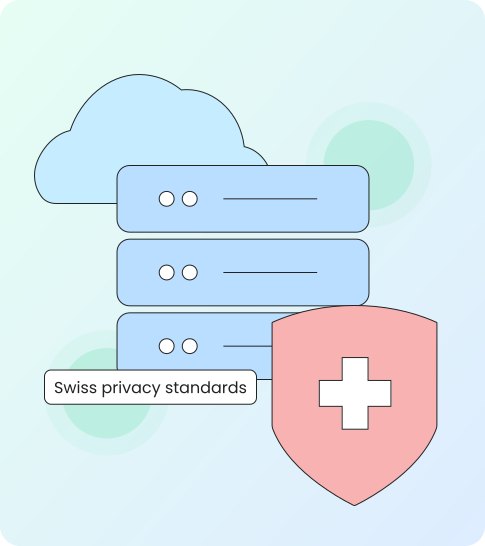
Swiss Privacy Standards

Guided by Swiss privacy standards, ApexGuard follows Swiss FADP-aligned data handling. Swiss-based operations reinforce how personal data is handled and protected.

Apex-Owned VPN Infrastructure

ApexGuard owns and manages its VPN infrastructure, reducing unnecessary third-party exposure and giving stronger control over routing, security, and performance.

Active Security Controls

ApexGuard applies ISO 27001-aligned security controls to support controlled access, risk management, change control, monitoring, and operational security.

What You Get with ApexGuard

ApexGuard brings private DNS together with encrypted VPN protection, no-logs architecture, and high-capacity global infrastructure. The result is a more complete privacy experience for everyday users who want protection that is simple, stable, and trustworthy.

Encrypted DNS Requests

Protect the website lookups your device makes before pages, apps, and services load, keeping them away from ISP visibility.

Reduced ISP Visibility

Move DNS requests away from your internet provider’s default resolver and into ApexGuard’s protected infrastructure, reducing unnecessary third-party exposure.

DNS Leak Protection

Help prevent website requests from bypassing the VPN and exposing activity through your normal network, keeping lookups inside the protected connection.

Fast Global Performance

ApexGuard is built for stable everyday use, with servers across 120+ countries and 3.2 Tbps of private network capacity for responsive browsing.

Unlimited Device Protection

Use ApexGuard across the devices you rely on every day, including desktop, mobile, and browser environments under one account, with no device limits.

Private DNS and VPN Protection Work Together

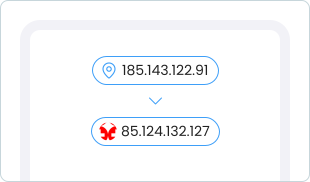
Private DNS protects the website lookups your device makes before pages and apps load. A VPN protects the broader connection by encrypting traffic and routing it through a secure VPN server. ApexGuard combines both, keeping DNS requests inside the protected VPN connection while also hiding your real IP address and reducing network-level exposure.

ApexGuard Private DNS vs Default DNS

Privacy Comparison

Default DNS can leave website lookups exposed to your internet provider or shared network. ApexGuard Private DNS protects those requests through the encrypted VPN tunnel and resolves them through ApexGuard-operated DNS resolvers for stronger privacy, leak protection, and stable everyday performance.

Default DNS can leave website lookups exposed to your internet provider or shared network. ApexGuard Private DNS protects those requests through the encrypted VPN tunnel and resolves them through ApexGuard-operated DNS resolvers for stronger privacy, leak protection, and stable everyday performance.

Download Apex

ApexGuard

  • Encrypted Requests

    DNS requests are protected through the encrypted ApexGuard VPN tunnel.

  • Shared-Network Privacy

    Helps reduce website lookup exposure on public or shared networks.

  • No-Logs Design

    Built into ApexGuard’s strict no-logs VPN architecture.

  • Leak Protection

    Helps prevent DNS requests from bypassing the VPN tunnel.

  • Private Resolvers

    Resolved by ApexGuard-operated DNS resolvers.

  • Stable Performance

    Designed for fast, stable everyday browsing.

Default ISP DNS

  • Provider Visibility

    DNS requests may be visible to your internet provider.

  • Network Exposure

    Network operators may see website lookups.

  • Policy Dependent

    Privacy depends on your provider’s policies.

  • Possible Bypasses

    Requests may bypass privacy protections.

  • External Control

    Managed by your ISP or a third-party resolver.

  • Variable Performance

    Performance can vary by provider and network.

Swiss Legal Foundation

ApexGuard is built in Switzerland, with privacy-first operations grounded in Swiss standards. That gives your VPN protection a clear legal and operational foundation.

Swiss-based operations help reinforce how data is handled, controlled, and protected. ApexGuard’s data handling is aligned with the Swiss Federal Act on Data Protection, supporting privacy, proportionality, and disciplined data practices.

For users, that means stronger trust in the way the service is operated, not just the way the product is described.

  • Swiss FADP sets the legal framework for personal data handling and protection
  • Systems, partners, and workflows involving personal data undergo a formal review.
  • All information access must be tied to a clear operational need.
  • Structured internal controls reduce the risk of data leaks.

Private DNS for Every Activity

ApexGuard Private DNS is designed to work quietly in the background, so you do not need to think about DNS settings, resolver choices, or manual configuration. It helps keep your browsing more private across home networks, public Wi-Fi, travel connections, and shared spaces.

Secure Browsing

Protect DNS requests while reading, searching, shopping, and messaging, so the sites you visit stay invisible to your ISP and Wi-Fi network.

Safer Public Wi-Fi

Keep DNS activity better protected on cafés, airports, hotels, and shared networks where operators and other users may have more visibility.

Smoother Streaming and Access

Keep website and app connections responsive even across regional servers and mobile networks where ordinary DNS often lags.

Protection Across Every Device

Use ApexGuard across desktop, mobile, and browser platforms so private DNS protection follows the devices you rely on most.

What You Get With ApexGuard Private DNS

ApexGuard does more than move DNS requests away from your internet provider. It keeps website lookups protected inside the encrypted VPN connection, resolves them through Apex-owned infrastructure, and combines Private DNS with strict no-logs architecture, Swiss privacy standards, DNS leak protection, and high-capacity global VPN performance.

ApexGuard Advantage

Protected DNS in the VPN Tunnel

Website lookups stay inside the protected ApexGuard connection.

Apex-Owned DNS Infrastructure

DNS requests are resolved through infrastructure controlled by ApexGuard.

DNS Leak Protection

Helps prevent requests from bypassing the VPN and exposing browsing activity.

Strict No-Logs Architecture

Browsing history, visited websites, and routine VPN activity logs are not retained.

Swiss Privacy Standards

Data handling is guided by Swiss FADP-aligned privacy practices.

Unlimited Device Protection

Private DNS protection works across the devices covered by your ApexGuard account.

You May Still Be Wondering

Frequently Asked Questions

Frequently Asked Questions FAQ
How to get Apex How to install
System requirements Requirements

What is Private DNS?

Private DNS protects the DNS requests your device makes when it looks up websites, apps, and online services. Instead of using your internet provider’s default DNS, ApexGuard handles those requests through protected ApexGuard infrastructure.

Why does DNS privacy matter?

DNS requests can reveal which websites your device is trying to reach. Protecting DNS helps reduce network-level visibility and keeps more of your browsing activity private from ISPs, shared networks, and unnecessary third-party resolvers.

Does ApexGuard Private DNS hide my browsing from my ISP?

ApexGuard Private DNS helps prevent your ISP from seeing your DNS lookups. When used with ApexGuard VPN, your connection is also encrypted and routed through the VPN, giving you stronger privacy than DNS protection alone.

Does Private DNS prevent DNS leaks?

Yes. ApexGuard is designed to keep DNS requests inside the protected VPN connection and resolve them through ApexGuard-managed infrastructure, reducing the risk of DNS leaks through your normal internet provider.

Does ApexGuard log my DNS requests?

No. ApexGuard is built around strict no-logs architecture and is designed not to store browsing history, visited websites, DNS request history, or routine VPN activity logs.

Is Private DNS the same as a VPN?

No. Private DNS protects website lookups, while a VPN encrypts and routes your broader internet connection through a secure VPN server. ApexGuard combines both by keeping DNS requests protected inside the VPN tunnel.

Does Private DNS change my IP address?

No. DNS protection alone does not change your IP address. ApexGuard VPN hides your real IP address, while Private DNS helps protect the website lookups behind your browsing.

Can I test for DNS leaks?

Yes. DNS leak tests can help confirm that your DNS requests are being handled by the VPN connection instead of your default internet provider.

Does ApexGuard use third-party DNS resolvers?

ApexGuard Private DNS resolves DNS requests through ApexGuard-operated infrastructure, reducing unnecessary reliance on default ISP DNS or unrelated third-party resolvers.

Does Private DNS block ads or malware?

Private DNS is focused on protecting website lookups and reducing DNS exposure. ApexGuard’s broader privacy features, such as Threat Protection, may help reduce exposure to malicious websites, phishing pages, and harmful links where available.

Step 1

Download Apex VPN

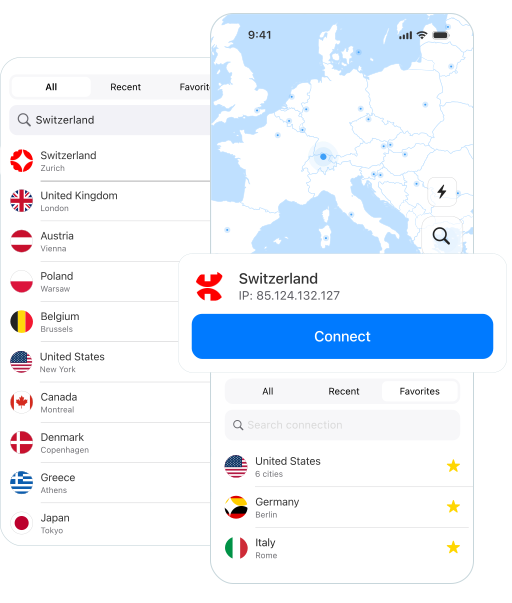
Get Apex for Windows, macOS, Linux, or get it from App Store or Google Play.

Step 2

Install the app

Launch the installer file and follow the on-screen instructions.

Step 3

Enjoy your online privacy

Open Apex VPN, log in or sign up, and connect to your desired server.

Apexguard System Requirements by Platform

ApexGuard delivers refined privacy across modern devices without demanding high-end hardware, keeping protection accessible, seamless, and consistent every day.

Desktop devices:

MacOS:

OS Version:

macOS 13.5 Ventura or newer

Device:

Mac Mini, Mac Studio, Mac Pro, iMac, MacBook Air, and MacBook Pro

Disk Space:

~40 MB

Architecture:

Intel x86_64 or Apple Silicon (universal)

Windows:

OS Version:

Windows 10 (64-bit, version 1607 and later) and Windows 11

RAM:

At least 1 GB

Disk Space:

~60 MB

Architecture:

64-bit

Linux:

Supported Distros:

Debian, Ubuntu, and Fedora

RAM:

At least 1 GB

Disk Space:

~40 MB

Architecture:

64-bit

Additional:

libglib2.0, libgtk-3, and curl installed

Mobile devices:

iOS:

OS Version:

iOS 15.6 or newer

Device:

iPhone, iPad, or iPod Touch 7th gen

Disk Space:

~50 MB

Other:

Internet connection required for full functionality

Android:

OS Version:

Android 9.0 or newer

Device:

Smartphone or tablet

Disk Space:

~50 MB

Other:

Network access, storage (for config/cache)

Protect Your DNS with Swiss-Grade VPN Privacy

ApexGuard Private DNS protects the website lookups behind your everyday browsing while keeping requests inside the encrypted VPN connection. Combined with strict no-logs architecture, Swiss privacy standards, Apex-owned infrastructure, and fast global performance, it gives you a simpler way to browse with stronger privacy wherever you connect.

Get Started