



From 10.52 USD

3.27 USD mo.  + 3  Months Extra

10 devices 1 User

See All Plans

30-Day Money-Back Guarantee

Receive a full refund if ApexGuard doesn’t meet your expectations.

Special Offer | Save 60%
GET APEX

Stream Your Shows from Anywhere with Apex VPN

From 10.52 USD

3.27 USD mo.  + 3  Months Extra

10 devices 1 User

Get Apex

30-Day Money-Back Guarantee

Receive a full refund if ApexGuard doesn’t meet your expectations.

Our VPN apps for streaming

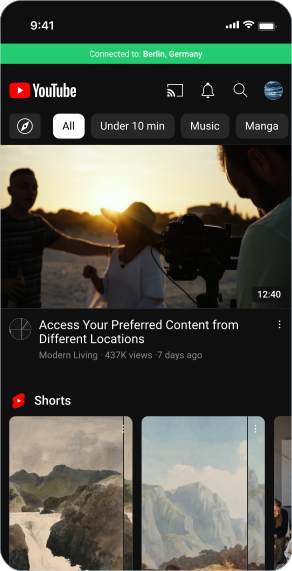
Apex lets you access the best entertainment from countries around the world. Stay connected to the shows and movies you love, whether you’re at home or halfway across the world.

macOS

Linux

Windows

iOS

Android

Safari

Chrome

Firefox

Edge

Seamless Streaming on Any Device

Apex opens doors to global Netflix catalogs, gives you access to American streaming sites from anywhere, and lets you watch sports without regional restrictions. Craving UK comedies, Japanese animation, or exclusive American content? It’s all at your fingertips, no matter your location.

Apex opens doors to global Netflix catalogs, gives you access to American streaming sites from anywhere, and lets you watch sports without regional restrictions. Craving UK comedies, Japanese animation, or exclusive American content? It’s all at your fingertips, no matter your location.

Multi-Platform Apps

Whether you’re team Apple, Android, Windows, or Linux, we’ve got you covered.

Smart TVs & Streaming Sticks

Set up Apex on your Fire Stick, Android TV, or Apple TV and unlock worldwide content while keeping your viewing habits private.

Router Compatibility

Install Apex directly on your home router and every device that connects to your WiFi gets automatic protection.

Why Choose Apex VPN for Streaming?

Swiss Privacy Protection

Based in privacy-friendly Switzerland, Apex operates high-performance servers worldwide. Stream in HD or 4K without buffering.

Global Server Network

Our servers span six continents, giving you the freedom to watch content from virtually anywhere.

No Bandwidth Limits

Marathon your favorite shows without checking your data usage. We don’t throttle your connection or charge extra.

Secure & Private Connection

With military-grade encryption and our strict no-records policy, your streaming habits remain completely private.

Explore Global Netflix Libraries

Why settle for one country’s Netflix when you can access them all? Connect to our servers around the world.

Stream Live Sports from Around the World

Blackouts ruining your game day? Not anymore. Watch NFL football, NBA basketball, English soccer, or F1 races live, even when they’re ‘not available in your area.’

You may still be wondering

Frequently Asked Questions

Frequently Asked Questions FAQ
How to get Apex How to install
System requirements Requirements

Is it legal to use VPN for streaming?

You’re in the clear. Using Apex with your streaming services is completely legal when you have legitimate subscriptions. We simply help you watch the content you’re already paying for, regardless of your location.

How can VPN improve my streaming experience?

Two main reasons: You’ll avoid the throttling that internet providers often apply to streaming traffic, and you’ll gain access to thousands of shows and movies that are normally blocked in your country.

How do I set up VPN for streaming?

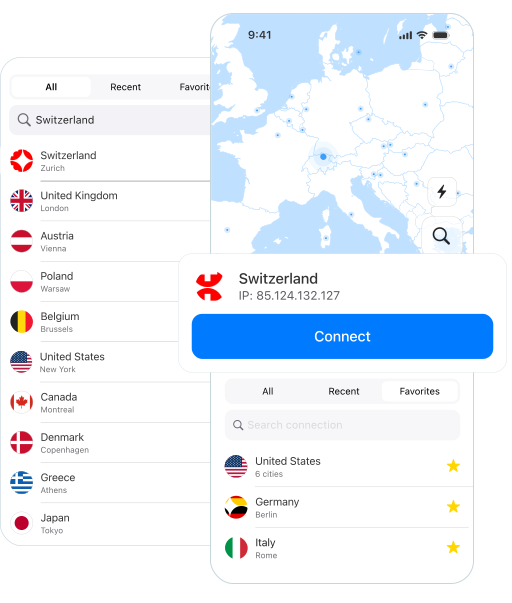
It’s super simple: download our app, sign in, and tap on a streaming-optimized server. That’s it! Your connection is now secure and ready for Netflix, Hulu, or whatever you prefer. Need help? Our support team responds quickly to get you back to your shows.

Does Apex VPN work on smart TVs and streaming devices?

Yes—Apex runs on most popular streaming gadgets including smart TVs, Amazon Fire devices, and Apple TV. If your device doesn’t support VPN apps directly, just install Apex on your home router instead, and every connected device gets protected automatically.

Can streaming services detect Apex VPN?

Streaming companies do try to detect VPNs, but we’ve designed Apex to be especially hard to spot. We use advanced masking techniques and regularly update our servers to stay ahead of detection methods.

Step 1

Download Apex VPN

Download Apex for Windows, macOS, Linux, or get it from App Store or Google Play.

Step 2

Install the app

Launch the installer file and follow the on-screen instructions to complete the set-up.

Step 3

Enjoy your online privacy

Open Apex VPN, log in or sign up, and connect to your desired server.

Apexguard System Requirements by Platform