From 10.52 USD

3.27 USD mo.  + 3  Months Extra

10 devices 1 User

See All Plans

30-Day Money-Back Guarantee

Receive a full refund if ApexGuard doesn’t meet your expectations.

Special Offer | Save 60%
GET APEX

VPN Encryption: The Key to Online Privacy

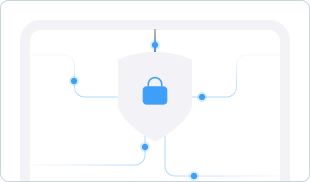
ApexGuard protects your connection with AES-256 encryption, kernel-level IKEv2/IPsec, private DNS handling, leak protection, and a VPN kill switch — backed by strict no-logs architecture, Swiss privacy principles, ISO 27001 controls, and PCI-audited sensitive-data handling.

  • AES-256 encryption with IKEv2/IPsec
  • DNS, IP, and WebRTC leak protection
  • VPN kill switch for connection drop protection
  • Strict no-logs architecture
  • Swiss FADP, ISO 27001, and PCI-audited

From 10.52 USD

3.27 USD mo.  + 3  Months Extra

10 devices 1 User

Get Apex

30-Day Money-Back Guarantee

Receive a full refund if ApexGuard doesn’t meet your expectations.

Why Do You Need Encryption?

HTTPS protects many websites, but it does not fully protect your wider internet connection. Your IP address, DNS requests, app traffic, and activity on shared networks can still reveal more than most users expect.

ApexGuard adds a private encrypted layer around your connection, masks your real IP address, routes DNS securely, and blocks accidental exposure if the VPN connection drops.

  • Public Wi-Fi snooping
  • ISP-level visibility
  • DNS lookup exposure
  • Real IP address leaks
  • Unprotected traffic after VPN drops
How ApexGuard’s Encryption Works

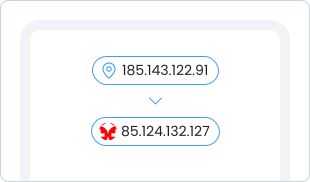
When you connect to ApexGuard, your traffic is encrypted on your device before it reaches your internet provider, Wi-Fi operator, or the wider web. The VPN server then forwards your requests using its own IP address, keeping your real IP hidden from the websites and services you visit.

1. Connect

Open ApexGuard, choose a secure location, and instantly start your encrypted VPN session.

2. Encrypt

AES-256 military-grade encryption protects your traffic before it leaves your device.

3. Mask

Websites and apps see the ApexGuard VPN server IP address instead of your real IP.

4. Stay Protected

Private DNS, leak protection, and kill switch safeguards reduce accidental exposure while you browse.

Core Privacy Protections Built Into ApexGuard

ApexGuard combines encryption, tunneling, leak prevention, no-logs architecture, and infrastructure-level safeguards into one privacy system — built to protect browsing, banking, shopping, streaming, travel, and work.

256-Bit Encryption

AES-256 encryption protects your internet traffic from interception on shared networks, public Wi-Fi, and untrusted connections.

Kernel-Level VPN Protocol

Kernel-level VPN handling helps keep encrypted sessions stable and responsive by integrating the VPN tunnel more closely with the operating system’s networking layer.

Leak Protection

DNS, IP, and WebRTC leak protection helps prevent your real network identity or browsing requests from being exposed outside the VPN tunnel.

No-Logs Architecture

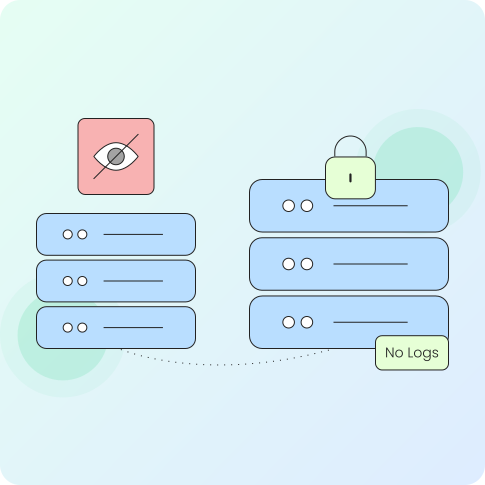
ApexGuard does not store browsing activity, visited websites, DNS requests, or traffic content as VPN usage history.

Fast and Stable VPN

ApexGuard is designed to keep security running quietly in the background. Efficient IKEv2/IPsec tunneling, high-capacity infrastructure, and smart routing help keep browsing, calls, streaming, downloads, and work sessions responsive while your connection stays protected.

Quick Connect

Start an encrypted VPN session in seconds from the ApexGuard app. Choose your location, connect, and protection activates with no configuration needed.

Responsive Browsing

Browse, stream, call, and work while encryption runs in the background. Smart routing keeps your connection fast and stable without slowing activity.

Stable VPN Sessions

IKEv2/IPsec maintains reliable protection across browsing, travel, and changing networks. The protocol keeps your session stable when switching between Wi-Fi and mobile.

Kill Switch Protection

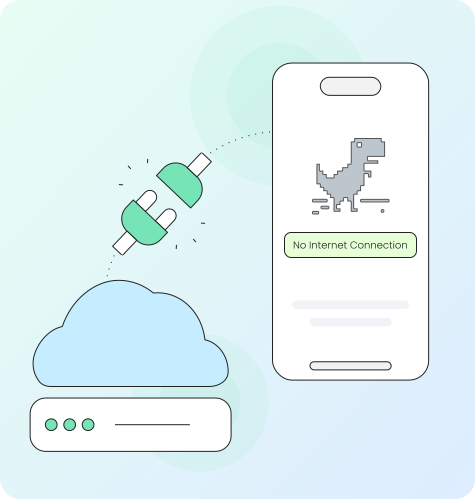
If the VPN drops, ApexGuard blocks unencrypted traffic until the secure connection is restored. This prevents your real IP or active sessions from being accidentally exposed.

ApexGuard vs. Standard VPN

Encryption Comparison

Not every VPN offers the same level of protection. A stronger VPN should combine encryption with leak prevention, private DNS handling, no-logs architecture, transparent infrastructure, and recognized security controls.

Not every VPN offers the same level of protection. A stronger VPN should combine encryption with leak prevention, private DNS handling, no-logs architecture, transparent infrastructure, and recognized security controls.

Download Apex

ApexGuard Protection

  • AES-256 encryption, IKEv2/IPsec

  • DNS handling and leak protection

  • IP and WebRTC leak protection

  • Kill switch stops traffic leaks

  • RAM-only servers, owned network

  • Strict no-logs architecture

  • Swiss FADP, ISO 27001, PCI-audited

Standard VPN Risk

  • Encryption details may be unclear

  • DNS requests may still be visible

  • IP can leak via browser or network

  • Traffic may continue if VPN drops

  • Server handling may be unclear

  • Log policies may be hard to verify

  • Privacy claims may be unverified

Privacy Backed by Trusted Standards

ApexGuard connects strong encryption with a broader privacy and security framework. Swiss data protection principles, strict no-logs architecture, ISO 27001 security controls, and PCI-audited sensitive-data handling help turn privacy promises into operational safeguards.

Swiss FADP Principles

Swiss-based data handling supports privacy-by-design, data minimization, and careful handling of disclosure requests.

PCI-Audited Sensitive-Data Handling

Payment and account-related workflows are protected through a PCI-audited environment designed for stronger data safeguards.

Strict No-Logs Architecture

Browsing activity, visited websites, DNS requests, and traffic content are not stored as VPN usage history.

ISO 27001 Security Controls

Audited controls support access management, risk handling, change control, monitoring, and operational security.

When VPN Encryption Secures Your Data

ApexGuard is designed for the everyday situations where exposure risk is highest — without requiring complicated setup or technical knowledge.

Public Wi-Fi

Encrypt traffic on hotel, airport, café, and coworking networks.

Banking and Shopping

Add a secure VPN layer when signing in, checking accounts, or entering payment details.

Travel and Remote Work

Protect work sessions, calls, browsing, and app traffic while using unfamiliar networks.

Streaming and Browsing

Keep your real IP address masked while using everyday websites, apps, and entertainment services.

Core Privacy Protections Built Into ApexGuard

ApexGuard combines strong encryption with privacy safeguards that protect the full connection experience — not just the tunnel. AES-256 encryption, kernel-level IKEv2/IPsec, private DNS handling, DNS/IP/WebRTC leak protection, kill switch safeguards, RAM-only infrastructure, strict no-logs architecture, and Swiss-backed security controls work together to reduce exposure before, during, and after each VPN session.

ApexGuard Advantage

Why It Matters

AES-256 Encryption
Protects traffic moving between your device and ApexGuard infrastructure.
Kernel-Level IKEv2/IPsec
Supports stable, responsive encrypted VPN sessions.
Private DNS Handling
Keeps website lookups protected inside the VPN experience.
DNS/IP/WebRTC Leak Protection
Helps prevent accidental exposure outside the VPN tunnel.
Kill Switch Safeguards
Blocks unencrypted traffic if the VPN connection drops.
RAM-Only Servers
Reduces the risk of retained local data after restart.
Swiss Security Framework
Connects encryption with Swiss FADP principles, ISO controls, and PCI-audited handling.

You May Still Be Wondering

Frequently Asked Questions

Frequently Asked Questions FAQ
How to get Apex How to install
System requirements Requirements

What encryption does ApexGuard use?

ApexGuard uses AES-256 encryption with IKEv2/IPsec to secure VPN traffic between your device and the VPN server. This gives your connection strong encryption and a stable VPN protocol for everyday browsing, streaming, work, travel, and public Wi-Fi.

What is AES-256 encryption?

AES-256 is a widely trusted encryption standard used to protect sensitive data. In a VPN, it scrambles traffic so public Wi-Fi snoops, network operators, and other third parties cannot read the data moving through the connection.

Why does VPN encryption matter if websites already use HTTPS?

HTTPS protects data exchanged with many websites, but it does not fully protect your wider internet connection. It does not hide your IP address, protect DNS lookups from your regular provider, or cover every app connection on shared networks. ApexGuard adds an encrypted privacy layer around the broader connection.

Does ApexGuard include security features besides encryption?

Yes. ApexGuard combines encryption with IP masking, private DNS handling, DNS/IP/WebRTC leak protection, a VPN kill switch, RAM-only servers, and strict no-logs architecture. These protections work together to reduce accidental exposure and limit retained activity data.

What are DNS, IP, and WebRTC leaks?

A DNS leak can expose the websites your device looks up through your regular internet provider. An IP leak can reveal your real network address. A WebRTC leak can expose IP information through browser features. ApexGuard includes protections designed to reduce all three.

What does a VPN kill switch do?

A VPN kill switch blocks unencrypted traffic if the VPN connection drops. This helps prevent your real IP address, DNS requests, or active sessions from continuing through your regular internet connection by mistake.

What does no-logs mean for encryption?

Encryption protects traffic while it moves through the VPN connection. No-logs architecture protects privacy after that by ensuring browsing activity, visited websites, DNS requests, and traffic content are not stored as VPN usage history.

Step 1

Download Apex VPN

Get Apex for Windows, macOS, Linux, or get it from App Store or Google Play.

Step 2

Install the app

Launch the installer file and follow the on-screen instructions.

Step 3

Enjoy your online privacy

Open Apex VPN, log in or sign up, and connect to your desired server.

Apexguard System Requirements by Platform

ApexGuard delivers refined privacy across modern devices without demanding high-end hardware, keeping protection accessible, seamless, and consistent every day.

Desktop devices:

MacOS:

OS Version:

macOS 13.5 Ventura or newer

Device:

Mac Mini, Mac Studio, Mac Pro, iMac, MacBook Air, and MacBook Pro

Disk Space:

~40 MB

Architecture:

Intel x86_64 or Apple Silicon (universal)

Windows:

OS Version:

Windows 10 (64-bit, version 1607 and later) and Windows 11

RAM:

At least 1 GB

Disk Space:

~60 MB

Architecture:

64-bit

Linux:

Supported Distros:

Debian, Ubuntu, and Fedora

RAM:

At least 1 GB

Disk Space:

~40 MB

Architecture:

64-bit

Additional:

libglib2.0, libgtk-3, and curl installed

Mobile devices:

iOS:

OS Version:

iOS 15.6 or newer

Device:

iPhone, iPad, or iPod Touch 7th gen

Disk Space:

~50 MB

Other:

Internet connection required for full functionality

Android:

OS Version:

Android 9.0 or newer

Device:

Smartphone or tablet

Disk Space:

~50 MB

Other:

Network access, storage (for config/cache)

Encrypt Your Connection with Swiss-Built VPN Security

Get AES-256 encryption, private DNS handling, leak protection, kill switch safeguards, RAM-only infrastructure, strict no-logs architecture, and Swiss privacy standards in one simple VPN app.

Get Started
30-day money-back guarantee. Unlimited devices. Setup in seconds.