24/7 Password and Data Leak Monitoring
ApexGuard Dark Web Monitor watches known leak sources for exposed account details linked to your monitored information. When a match is detected, you get a fast alert to protect affected accounts, update passwords, and reduce the risk of unauthorized access.
- Continuous monitoring for exposed account data
- Fast alerts when your details appear in a breach
- Included in your ApexGuard plan at no extra cost
From 10.52 USD
3.27 USD mo. + 3 Months Extra
10 devices 1 User
30-Day Money-Back Guarantee
Receive a full refund if ApexGuard doesn’t meet your expectations.
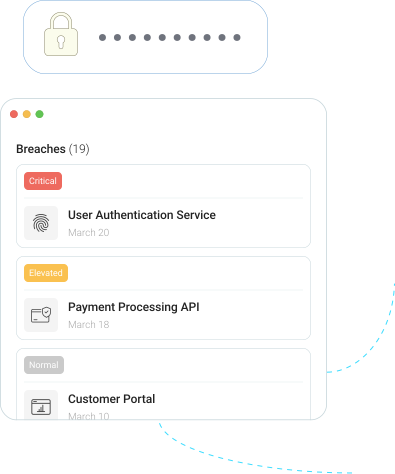

What You Get With Dark Web Monitor
ApexGuard Dark Web Monitor checks breach datasets for monitored information linked to your ApexGuard setup. Depending on supported settings, this may include email addresses, account identifiers, and other eligible details you choose to monitor.

Always-on monitoring
Continuously checks breach intelligence sources for newly exposed account data as breach information appears.
Easy Setup
Enable Dark Web Monitor in the ApexGuard app and keep protection active without complex setup or maintenance.

Instant Alerts
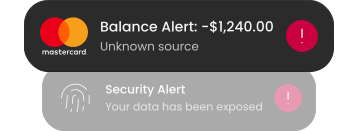
Get notified when monitored details are detected in a relevant leak source, helping you protect affected accounts faster.
No Manual Checks
Runs quietly in the background while you use ApexGuard normally, adding exposure visibility without extra effort.
ApexGuard Protects Your Data Around the Clock
New data breaches and leaks can appear at any time. ApexGuard Dark Web Monitor watches leak databases for exposed account details linked to your monitored information and alerts you when a match is detected. That gives you earlier visibility when credentials or account identifiers may have been exposed, helping protect affected accounts, update passwords, and reduce the risk of unauthorized access before exposure becomes a bigger problem.
Is your data for sale on the dark web?
Enter your email to check for exposures in the dark web. It’s free!
We will use your email address only to check for breaches. It will not be stored, shared, or used for any other purpose. By entering your email, you confirm it belongs to you or you have permission to use it
What Is Dark Web Monitoring?
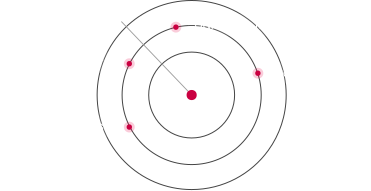
Dark web monitoring checks known leak sources, breach datasets, and underground exposure channels for account details connected to your monitored information. It gives you earlier visibility when credentials or account identifiers may have been exposed, so you can act quickly instead of discovering the problem after access is lost. For ApexGuard users, Dark Web Monitor adds continuous breach alerts to the VPN experience, combining private browsing, encrypted connectivity, ThreatShield protection, and Swiss privacy standards in one stronger protection layer.
One tap to secure your phone, laptop, and tablet
53.3B
Distinct identity records recaptured
SpyCloud’s 2025 Identity Exposure Report states that it had recaptured 53.3 billion distinct identity records, showing the massive volume of exposed data circulating in criminal channels.
1.56B
Fresh credentials from infostealers in 2025
Breachsense reported that infostealer infections added 1.56 billion fresh credentials to its corpus in 2025, with an average of 547 saved passwords per infected machine.
70%
Of breached users reused old passwords
Password reuse remains a major account takeover risk. One exposed login can give attackers a path into other accounts using the same or similar credentials.
Why Dark Web Monitoring Matters
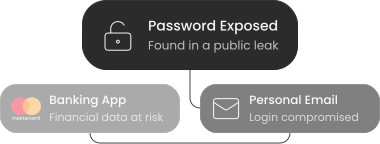
Data breaches do not only affect large companies. They affect everyday users whose email addresses, passwords, and account details can end up exposed without warning. Once that information appears online, it can be reused in account takeovers, credential stuffing, phishing attempts, and other forms of abuse.
Dark Web Monitor helps reduce that blind spot by warning you sooner. Instead of discovering a problem after access is lost or damage is done, you get a clearer signal that it is time to secure your accounts.
What Dark Web Monitor Helps You Do
Get an early warning when information connected to one of your monitored accounts is found in a data leak.

What Dark Web Monitor Helps You Do
Get an early warning when information connected to one of your monitored accounts is found in a data leak.
-
Protect Your Accounts
Use alerts as a signal to change passwords, review account security, and secure logins before anyone else can access your data.
-
Reduce the Risk of Reuse
If exposed credentials are detected, you can act before the same details are used across multiple accounts.
-
Stay More Aware
Instead of guessing whether your data has been exposed, you have a clearer way to monitor for known breach activity.
Browsing Protection and Breach Alerts in One Plan
ApexGuard combines multiple protection layers to help users browse privately, reduce exposure to online threats, and stay informed when monitored identifiers appear in known leaks.
Private VPN Protection
Encrypts your connection and helps keep browsing more private across public Wi-Fi, shared networks, and everyday internet use.

ThreatShield Protection
Blocks harmful websites, phishing pages, trackers, and suspicious destinations before they load, helping reduce online risks before they reach you.
Dark Web Monitor
Checks credential exposure sources for monitored account information and sends fast alerts to help protect accounts and reduce takeover risk.
ThreatShield and Dark Web Monitor Work Better Together
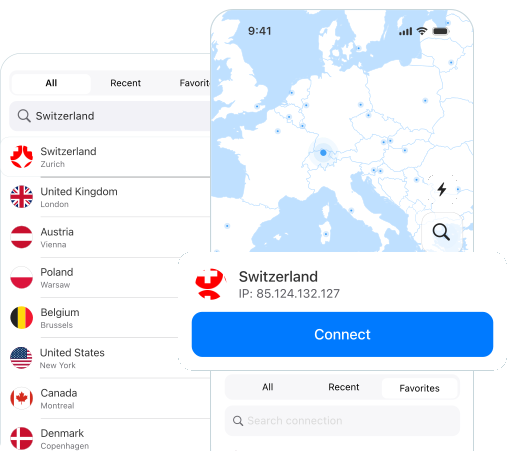
Threat protection helps reduce risk before you land on harmful sites. Dark Web Monitor helps you respond if your details have already been exposed elsewhere. Together, they create a more complete safety layer around everyday browsing and account use.
-
ThreatShield
ThreatShield helps block harmful websites, suspicious domains, and common online threats before they reach you.
-
Dark Web Monitor
Dark Web Monitor helps alert you if monitored identifiers appear in known leak sources, so you can take action sooner.
-
Better Everyday Awareness
Together, they help cover both sides of the problem: prevention while browsing and alerts after exposure.
Dark Web Monitor vs. Basic Leak Checker
A basic leak checker only shows what is known at the moment you search. ApexGuard Dark Web Monitor keeps watching over time and alerts you when monitored account details appear in known leak records.

Continuous Monitoring
No need to remember manual checks. Dark Web Monitor runs continuously in the background, watching known leak sources so you stay informed without any extra effort.
Faster Response
Act sooner when newly exposed data appears. Earlier alerts give you more time to update passwords, secure accounts, and reduce the risk of unauthorized access.
Less Guesswork
Get notified instead of wondering whether your information was part of a breach. Clear alerts tell you which account may need attention and what action to take next.
Built Into Your Plan
Included in ApexGuard, without a separate add-on to manage. Dark Web Monitor is part of the broader ApexGuard protection stack from the moment you activate your plan.
Backed by Verified Privacy Standards
Dark Web Monitor is part of ApexGuard’s broader privacy-first platform, designed to give users stronger trust signals across everyday account protection. It brings privacy, monitoring, and verified standards together in one more complete protection experience.

Privacy-First by Design
Dark Web Monitor is aligned with ApexGuard’s strict no-logs protection and Swiss privacy standards, helping support a more trusted experience from the moment you enable it. Privacy stays built into the platform from the start.

Backed by Verified Standards
ApexGuard is supported by active ISO 27001 security controls and a PCI-audited environment for sensitive data. These stronger standards help reinforce the trust, security, and protection behind the broader ApexGuard experience.

Included in Your ApexGuard Plan
Dark Web Monitor is included in your ApexGuard plan as part of a broader layer of privacy and account awareness. It adds ongoing monitoring and faster exposure alerts without requiring a separate service or add-on.
You May Still Be Wondering
Frequently Asked Questions
How much does Dark Web Monitor cost?
Dark Web Monitor is included in ApexGuard plans at no extra cost. No separate subscription or add-on is needed. Enable it from the ApexGuard app and start monitoring for exposed account details immediately as part of your existing plan from day one.
Does Dark Web Monitor remove my data from the dark web?
No. Dark Web Monitor alerts you when monitored details appear in known leak sources, but it cannot remove data from third-party breach databases or dark web locations. It gives you earlier visibility so you can act quickly to secure affected accounts.
Does Dark Web Monitor prevent data breaches?
No. It cannot stop external companies from being breached, but it can alert you sooner if monitored details appear in leak databases. The value is in the speed of the alert. Acting quickly gives you a better chance of securing affected accounts before further damage occurs.
What should I do after an alert?
Change the password for the affected account, avoid reusing that password elsewhere, enable two-factor authentication where available, and review recent account activity for any signs of unauthorized access.
What will an alert show?
Dark Web Monitor alerts you when eligible details are detected in a relevant leak source. Alert details may vary depending on the information available, but the goal is to help you understand which account may need attention and what action to take next.
Does ApexGuard store my monitored information?
Dark Web Monitor is designed to check monitored details for exposure while staying aligned with ApexGuard’s privacy-first approach and strict no-logs principles. Monitored details are used for breach detection and alerting, not for building browsing profiles.
Download Apex VPN
Get Apex for Windows, macOS, Linux, or get it from App Store or Google Play.
Install the app
Launch the installer file and follow the on-screen instructions.
Enjoy your online privacy
Open Apex VPN, log in or sign up, and connect to your desired server.
Apexguard System Requirements by Platform
ApexGuard delivers refined privacy across modern devices without demanding high-end hardware, keeping protection accessible, seamless, and consistent every day.
Desktop devices:
OS Version:
macOS 13.5 Ventura or newer
Device:
Mac Mini, Mac Studio, Mac Pro, iMac, MacBook Air, and MacBook Pro
Disk Space:
~40 MB
Architecture:
Intel x86_64 or Apple Silicon (universal)
OS Version:
Windows 10 (64-bit, version 1607 and later) and Windows 11
RAM:
At least 1 GB
Disk Space:
~60 MB
Architecture:
64-bit
Supported Distros:
Debian, Ubuntu, and Fedora
RAM:
At least 1 GB
Disk Space:
~40 MB
Architecture:
64-bit
Additional:
libglib2.0, libgtk-3, and curl installed
Mobile devices:
OS Version:
iOS 15.6 or newer
Device:
iPhone, iPad, or iPod Touch 7th gen
Disk Space:
~50 MB
Other:
Internet connection required for full functionality
OS Version:
Android 9.0 or newer
Device:
Smartphone or tablet
Disk Space:
~50 MB
Other:
Network access, storage (for config/cache)
Stay Ahead of Data Breaches
Get fast alerts when your monitored information appears in known leak sources. Respond sooner, protect affected accounts, and add exposure visibility to your ApexGuard privacy stack.
Get Started